

Open your Webuzo control panel from the client area or by direct URL on port 2005, and learn what each tool in the panel is for.
- Applies toWebuzo hosting plans
- Time needed3 min
- LevelBeginner
Webuzo is the control panel on DignityHost web hosting, WordPress hosting and MERN plans that run on our Webuzo servers. It gives you a browser-based place to manage domains, email, databases, SSL, backups and Node.js applications.
Open it from your client area (recommended)
- Sign in at my.dignityhost.com.
- Go to Services → My Services and open your hosting package.
- Click Login to Webuzo Enduser. The panel opens in a new tab and you are signed in automatically.
Open it with a direct address
| Address | Notes |
|---|---|
https://yourdomain.com:2005 | Secure end-user panel (HTTPS). Use this one. |
http://yourdomain.com:2004 | Unencrypted end-user panel. Avoid it on public networks. |
https://server-hostname:2005 | Use the hostname from your welcome email when your domain does not point to the server yet. |
Sign in with the Webuzo username and password from your welcome email. Ports 2002 and 2003 belong to the server administrator and do not accept customer logins.
A tour of the panel
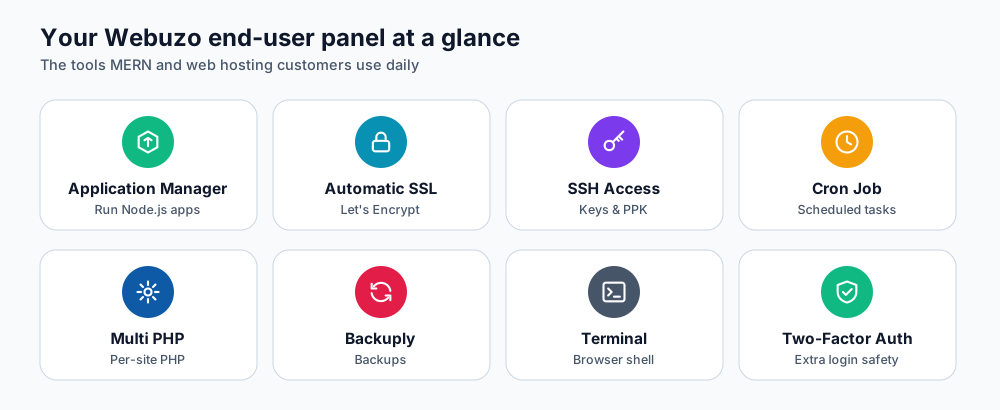
Some of the tools you will use most.
| Tool | What it does |
|---|---|
| Application Manager | Runs Node.js (and Python) applications. See deploy an Express API. |
| Automatic SSL | Installs and renews free Let's Encrypt certificates. See Free SSL in Webuzo. |
| SSH Access | Generate or import SSH keys (MERN plans). See SSH keys in Webuzo. |
| Cron Job | Scheduled tasks. See cron jobs in Webuzo. |
| Multi PHP / PHP INI Editor | Choose the PHP version and adjust PHP settings per domain. |
| Backuply | Backups and restores for your account. |
| Two-Factor Authentication | Adds a second step to panel login. See turn on 2FA. |
| Redirects, Error Pages, IP Block, Hotlink Protection, Password-Protect Directory | Everyday website controls without editing config files. |
If you cannot sign in
| Symptom | What to try |
|---|---|
| The page does not load | Port 2005 may be blocked on your network. Try mobile data, a VPN or the client-area button. |
| "Invalid username or password" | Use the Webuzo username from the welcome email (not your email address). Reset the password from the service page in the client area. |
| Security warning about the certificate | You used the server IP address. Use your domain or the server hostname so the name matches the certificate. |
| Asked for a verification code | Two-factor authentication is on. Use your app, or an emergency code if the phone is lost. |
| You were logged out quickly | Sessions expire after inactivity. Sign in again from the client area. |
First things to do after you sign in
- Turn on Two-Factor Authentication.
- Add your domain under Domain Management and point its DNS to the server (see DNS propagation).
- Install the free SSL certificate under Automatic SSL.
- Check your backups tool so you know where restores happen.
Frequently asked questions
Is my Webuzo password the same as my client-area password?
No. The client area handles billing and services; Webuzo manages the website itself. Reset the Webuzo password from the service page in the client area if you lose it.
Can I use the panel on my phone?
Yes. The end-user theme is responsive, but file editing and SSH are easier on a computer.
Webuzo or cPanel: which do I have?
The plan page lists the control panel. Most DignityHost MERN, starter web and WordPress plans use Webuzo; BDIX, email and larger cPanel plans use cPanel.
References and further reading
Last reviewed 19 October 2026. Need a hand? Contact DignityHost support or open a ticket from your client area.
